
Don’t have a Fullscript account yet? Browse our catalog here.
Find what you need in our industry-leading catalog! With our advanced search experience, you can explore quality supplements from our trusted brand partners with additional filters that allow you to search by ingredient, supplement type, allergens, and more. Pricing is displayed in USD for customers in the United States and CAD for those in Canada.
Access to the Catalog is determined by your provider and may not be available in your account. If you don’t have access, please speak to your provider to request a plan that includes products you’d like to order.
Searching the product catalog
Catalog filters
Search menus
Similar products in the catalog
When searching for products in the catalog, you can browse similar products, hand-picked by Fullscript’s Medical Advisory team, from any product’s display page.
Finding practitioner favorites
Providers can create a personalized selection of supplements and wellness products from trusted brands, giving patients the flexibility to order based on their unique needs and preferences.
Viewing and reordering products from Order history
If you want to buy a product you’ve purchased before, you can quickly reorder it from your Order history or Buy again section.
Request access to restricted products
Some products are only available when your practitioner includes them in a plan.
Closed catalog
A closed catalog means your provider has chosen to limit the products available in their Fullscript dispensary. Instead of showing the entire supplement catalog, you’ll only see:
- Products they specifically recommend to you.
- Categories of favorite products that match their treatment approach.
This helps create a simpler, more focused experience — so you only see safe, high-quality options chosen just for you.
Patients with an account in a store with a closed catalog store will only see practitioner favorites when viewing the catalog.
Product availability & statuses
Products that can’t be shipped immediately will have one of the following statuses:
- Backordered: Temporarily out of stock but typically replenished in 10-14 business days. Backordering is only available for US orders.
- Out of stock: Currently unavailable, with an estimated restock date further than 21 days away. These can’t be added to your order.
- Discontinued: No longer available, and unlikely to return. These can’t be added to your order.
If available, restock dates from suppliers appear on product pages, except in the catalog where space is limited. Hover over a product’s status or open the product page to see estimated restock dates (when available).
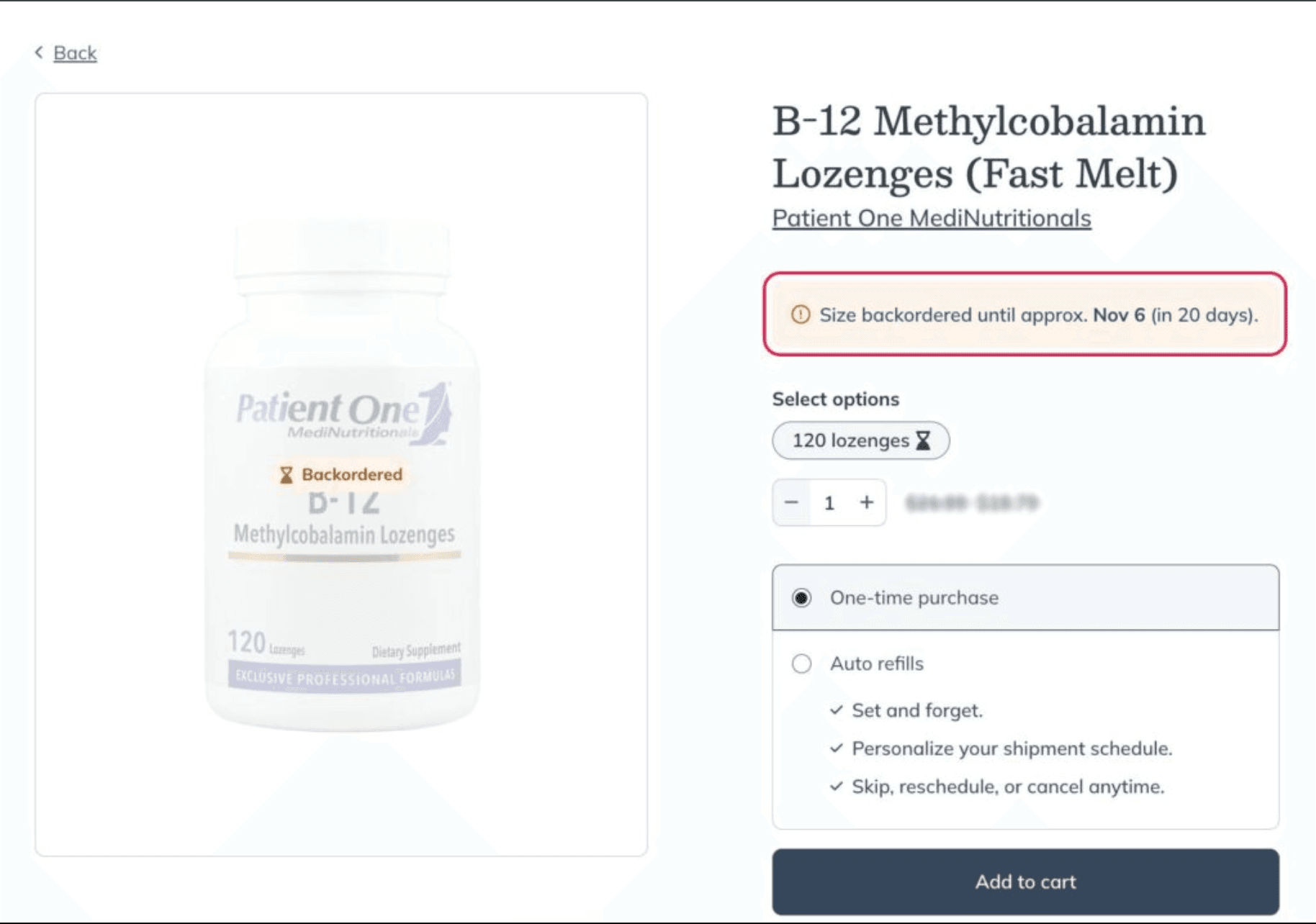
Finding the estimated restock date on a product’s display page.
Sometimes products are unavailable due to supply chain issues, material shortages, supplier recalls, or delivery disruptions. Sign up for product notifications to know when they’re back in stock.
Restock dates are approximate and subject to change – we always recommend speaking to your provider about suitable alternatives to avoid interruptions to your plan.
Product pricing
The prices for products made available through your practitioner’s dispensary are determined by the practitioner handling amounts, charges, and taxes. Which are indicated when you receive an invoice for the products purchased.