
You can upload lab results from outside of Fullscript directly to your account to keep your health information in one place. Once uploaded, your results are converted from a static lab report into structured biomarker data that’s easier to review, track over time, and optionally share with your providers.
Uploading lab results
You can upload:
- One file at a time
- PDF, JPG, JPEG, or PNG files
- Files up to 30 MB
To upload lab results from outside of Fullscript, follow the steps for your device.
Fullscript currently supports uploads from a limited number of lab companies, with support for additional labs continuing to expand over time.
Reviewing uploaded biomarker data
Some biomarkers may require review before results can be finalized or shared with providers. If so, you’ll see a Review lab results status.
To review and confirm your uploaded results, follow the steps for your device.
Uploaded lab results use the original reference ranges provided by the lab. Fullscript optimal ranges only apply to labs ordered through Fullscript.
Viewing your lab summary
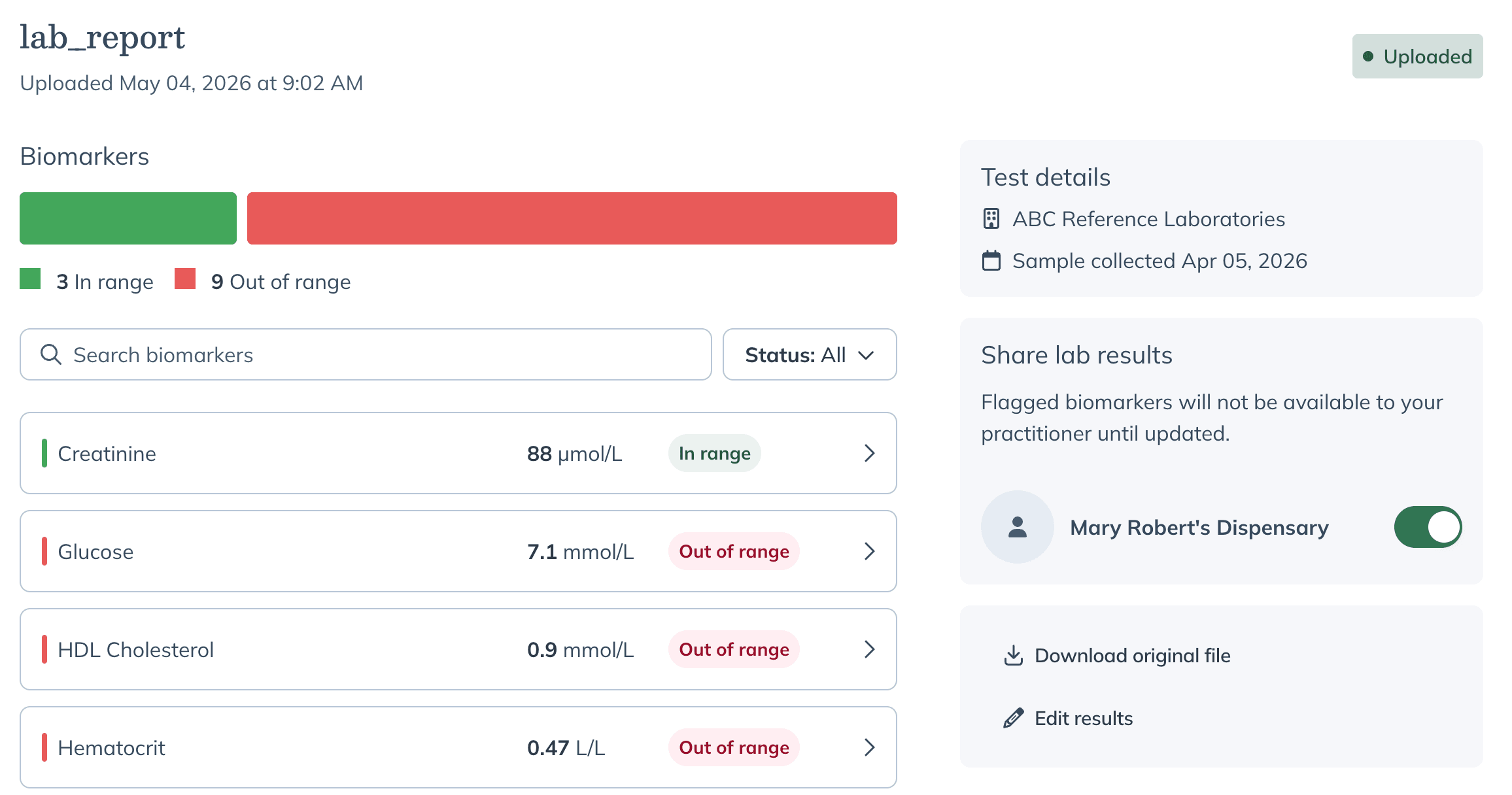
Once confirmed, your uploaded results are organized into a lab summary that highlights biomarkers that are in range and those that may need attention.
Select any biomarker to view additional details, including:
- Current value
- Reference range
- Status indicators
- Additional biomarker details
Sharing results with your provider
You can choose which providers have access to your uploaded lab results from the uploaded results page.
On mobile, you’ll have the option to share your results with your provider after confirming your uploaded lab results, or you can skip this step and update sharing preferences later.
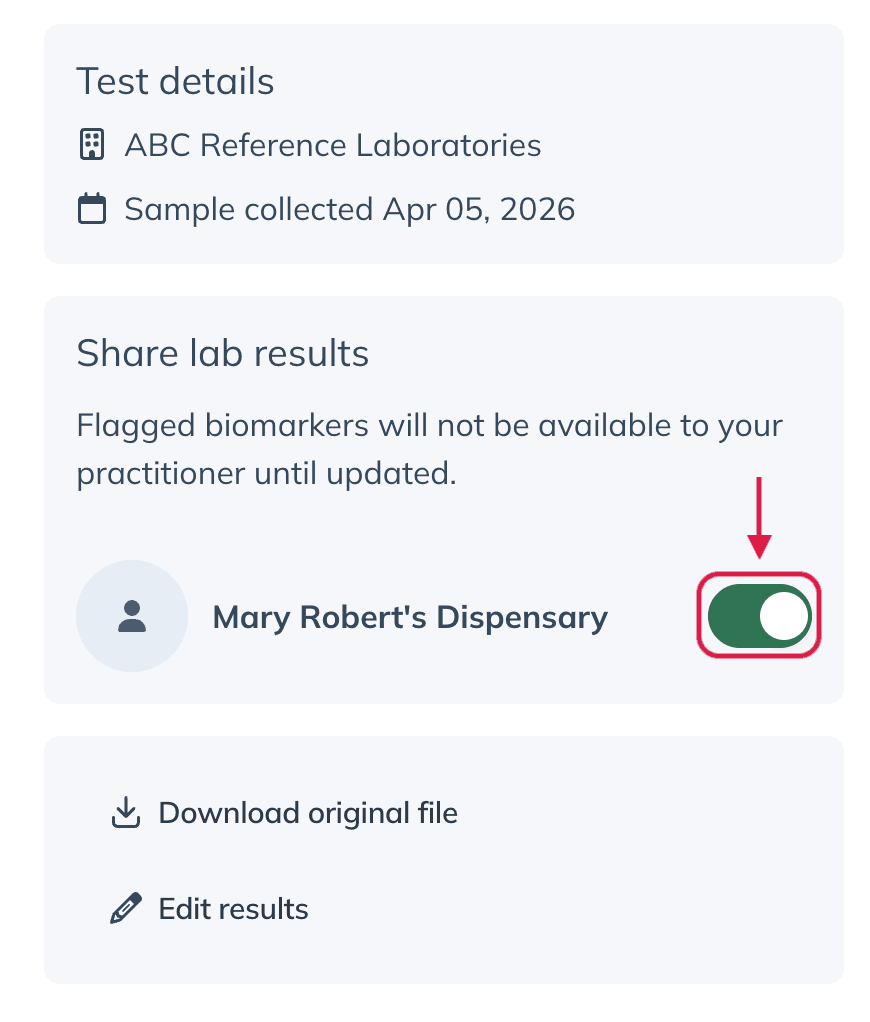
Sharing your results with your provider can help them better understand your health history and provide more personalized recommendations.
If you work with multiple providers on Fullscript, you can choose which providers can access your uploaded lab results and update sharing preferences at any time.